Back to Maintenance Manager for Manufacturing Main Menu
View and Track the Work Orders
The Work Orders page allows Requesters to view all created work orders in a single place and track their status such as New, In Progress, and Done.
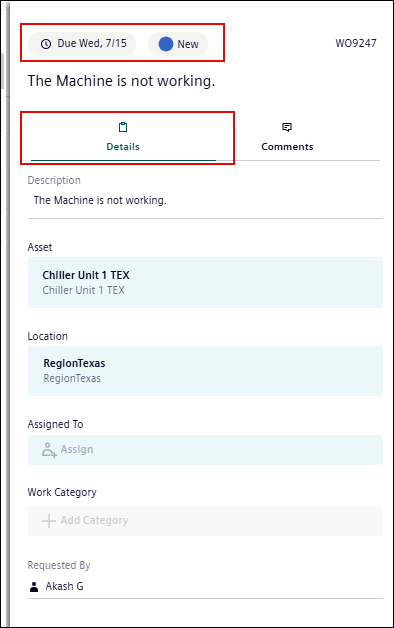
Requesters can see who is assigned to the work order, the work order number, the due date, work category, location, description, and you can also add comments.
-
Click the work order from the work order list.

-
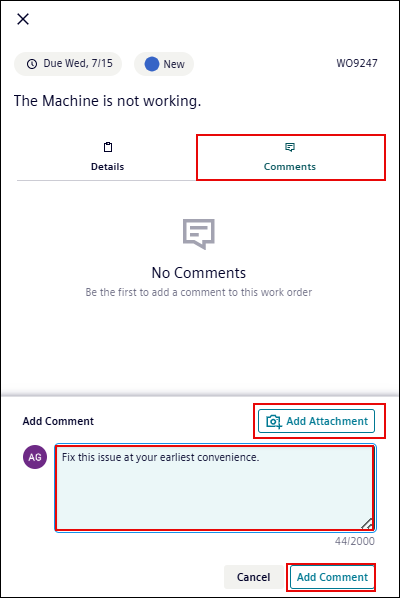
Go to the Comments tab, enter the comment, and click Add Comment.
-
Optionally, you can also Add Attachment.